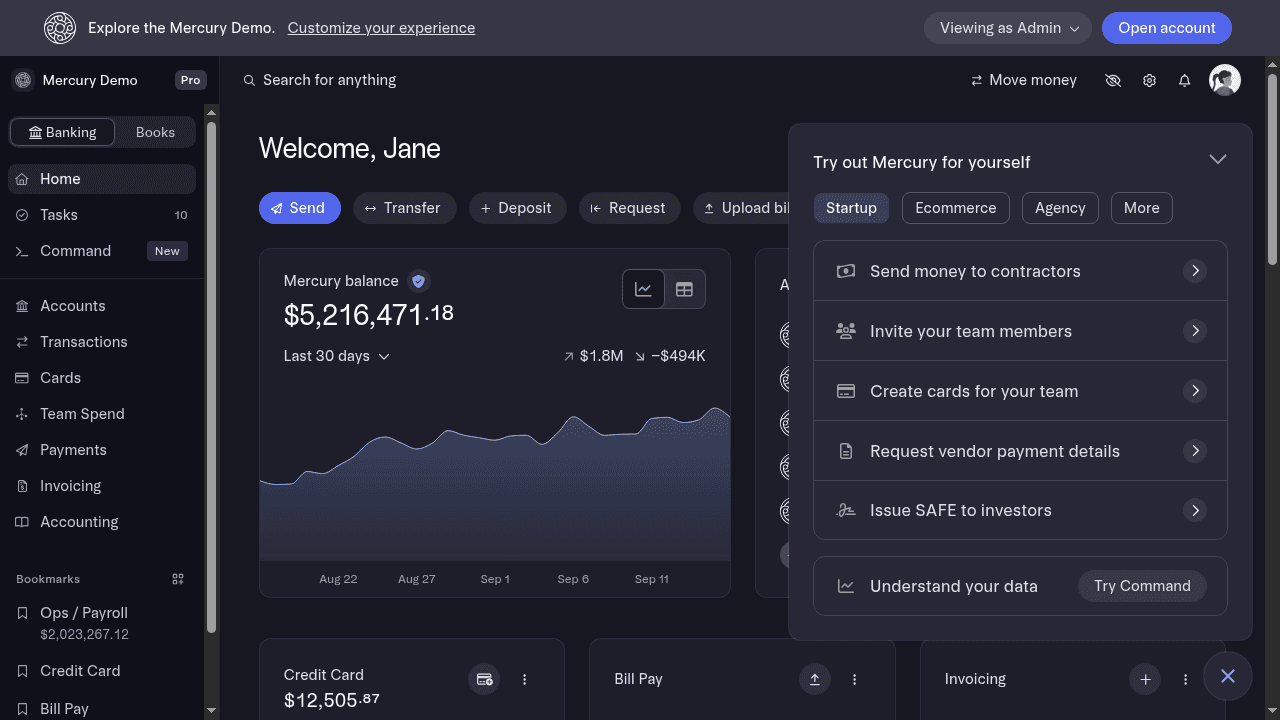
Advisor Portal
 Mercury
Accounting firms were managing every Mercury client through a separate login and dashboard, sometimes even sharing their client’s Admin user credentials. I led the Virality team’s design work on Advisor Portal, a new workspace inspired by Panorama that let accountants and advisors manage all of their clients in one place.
One login, every client
Managing clients’ bank accounts used to slow accountants down. Firms were juggling logins, shared inboxes, and month-end scrambles across every client — the exact fragmentation Mercury had already been collapsing for founders.
The Advisor Portal is the answer for the other side of the table: a single place for accounting firms and bookkeepers to manage clients, team members, and referrals. It is part of Mercury for Accountants, a free partner program that gives firms’ clients modern banking and gives the firms a faster way to serve them.
The Clients page
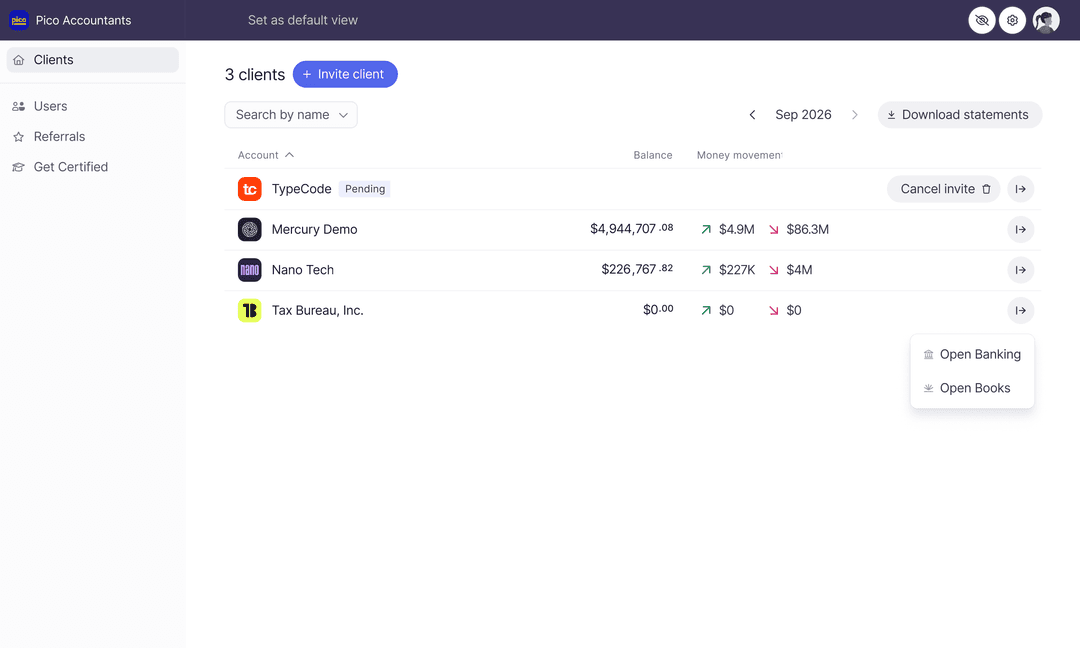
The Clients page is the Portal’s homepage. From here a firm can add and view clients, see balances and money movement, download statements in bulk, and jump straight into any client’s dashboard.
Adding a client takes an email. A Manager enters the email address of an Admin on the client’s Mercury account; the client approves the request and assigns permissions; the organization appears on the Clients page. From then on the firm can extend the same access to teammates — no shared passwords, no borrowed logins.
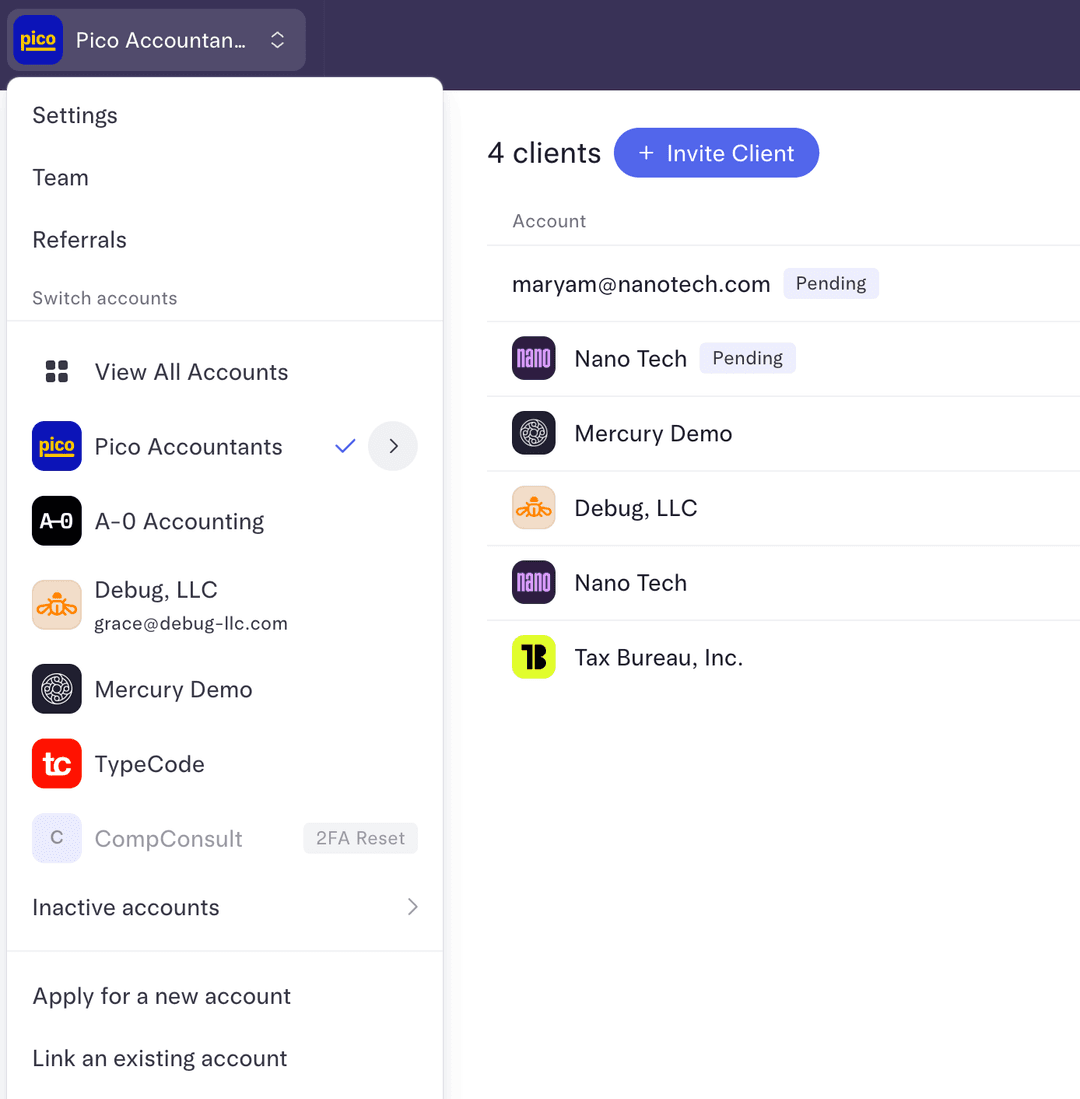
Switching is just as light. A firm member can use the company name in the top-left corner to move between the Portal and any Mercury account they can access, or hit “View All Accounts” for the full summary.
The Team page
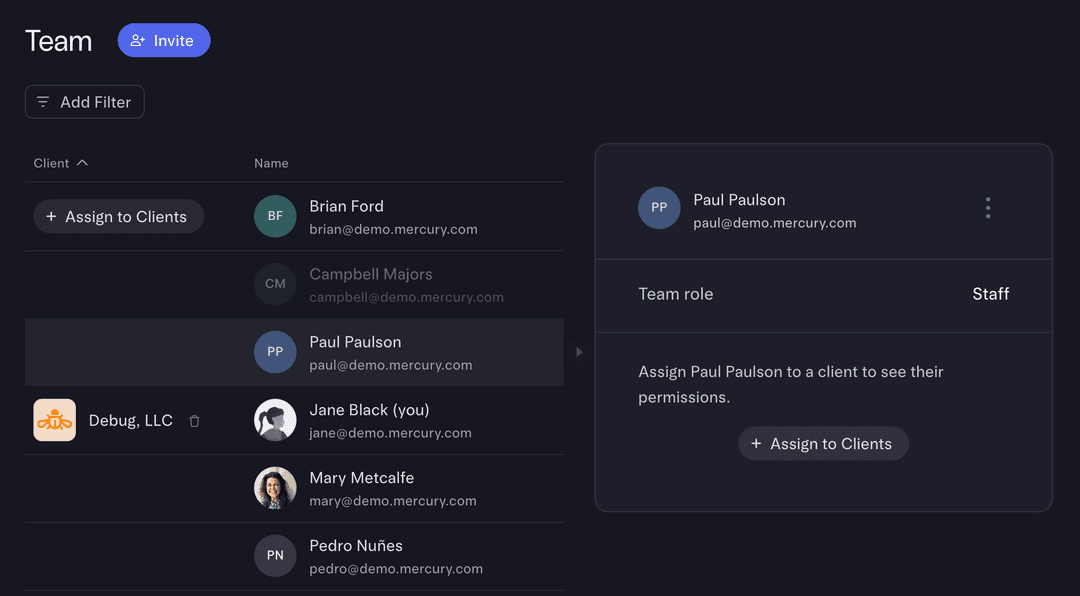
The Team page is where firms manage who’s who. Two roles keep it simple: Managers see every client, add or remove staff, and assign people to engagements; Staff see only their assigned clients and teammates.
Assignments are granular on purpose. A Manager can put a bookkeeper on three clients at one permission level and another engagement at a different one, adjust access as work changes, and remove someone from a client — or from the firm — in a couple of clicks.
User research
I worked directly with early Panorama users and led user research with accountants. The same pattern kept surfacing: firms loved Mercury’s clarity for one company, but needed it to extend across dozens. They wanted every client, permission, and month-end task in one view. That research led to three product decisions. The Portal would draw on Mercury’s core design language, so it felt like home instead of a bolt-on admin tool. It would sit adjacent to the core product, close enough that moving between the Portal and a client’s dashboard felt like one motion. And it would reserve room for Books to eventually live inside it.
The precursor to Books
The Portal was never just an admin surface. It was the wedge for a bigger idea: that the accountant’s workflow and the client’s books should live in the same place. Mercury Books closes the loop the Portal opened.
Impact
Advisor Portal launched publicly in April 2025 as the home for Mercury for Accountants, bringing client access, team permissions, statements, and referrals into one workspace. It is now used by thousands of accountants and firms to manage their clients on Mercury.